· David Kocher · Posted in Cyberduck
For Windows. For Mac. Available now.
Update: Version 4.0.1 and subsequently 4.0.2 with many bugfixes has been released.
· David Kocher · Posted in Cyberduck
Some have noted you can now find Cyberduck in the App Store! This is important for the visibility of the project in particular for new and average users on the Mac platform.
To support development we have introduced donation keys back in 2009 to give supporters of both financial and other contributions (such as localizations) something back. It greatly helped a sustainable development.
The caveat is that this model is not supported in the App Store per the developer agreement. Software asking for volontary contributions does not get approved. We have therefore opted to distribute Cyberduck in the App Store for a fixed price with no donation prompt.
It is your choice to buy the version from the App Store or download from the website and opt in for a payment if you feel like. Or not.
Cyberduck is libre (FLOSS) software and will remain so in the future. It uses a plethora of open source software libraries and its own source code and development process is open.
· David Kocher · Posted in Cyberduck
Amazon now supports hosting static websites on S3. The latest snapshot build of Cyberduck supports configuring website distributions for S3 buckets.
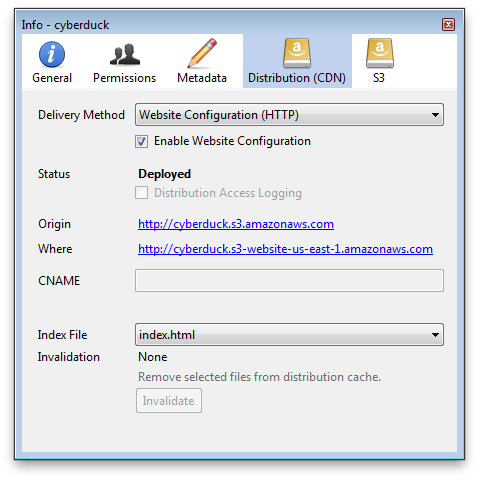
Update: You can now also configure Website Configuration Endpoint Distributions with CloudFront CDN.
· David Kocher · Posted in Cyberduck
The latest beta supports Services (the menu you never go to but that got usable again in Mac OS X 10.6) to send files and data between applications. The support in Cyberduck, offers a nice new way to quickly upload files from the Finder to a server.

The Transfers window will open with a sheet attached to select the bookmark to upload the files to.
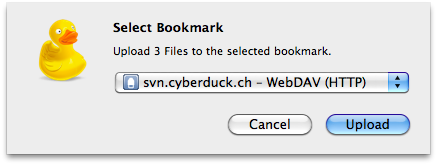
Read more in the wiki about options for file uploads.
· David Kocher · Posted in Cyberduck
The latest snapshot build of Cyberduck supports multipart uploads to Amazon S3. The benefits are twofold:
Give it a try if you are moving big files.
 Cyberduck
 Mountain Duck
 CLI