· David Kocher · Posted in Mountain Duck
Mountain Duck 4.12 introduces new settings to allow cache management — a top requested feature.
In Smart Synchronization connect mode all files you work with (e.g. open, save, upload or explicitly choose to keep offline) are saved in the local cache to shorten access times and to make them editable when offline. Depending on the size of your files, this might eat up your local disk space. This can be problematic in particular for computers with a small SSD disk. The new cache management feature gives you the ability to define a retention time for files and to limit the size of the cache in general. Both settings can be enabled either separately or in combination.
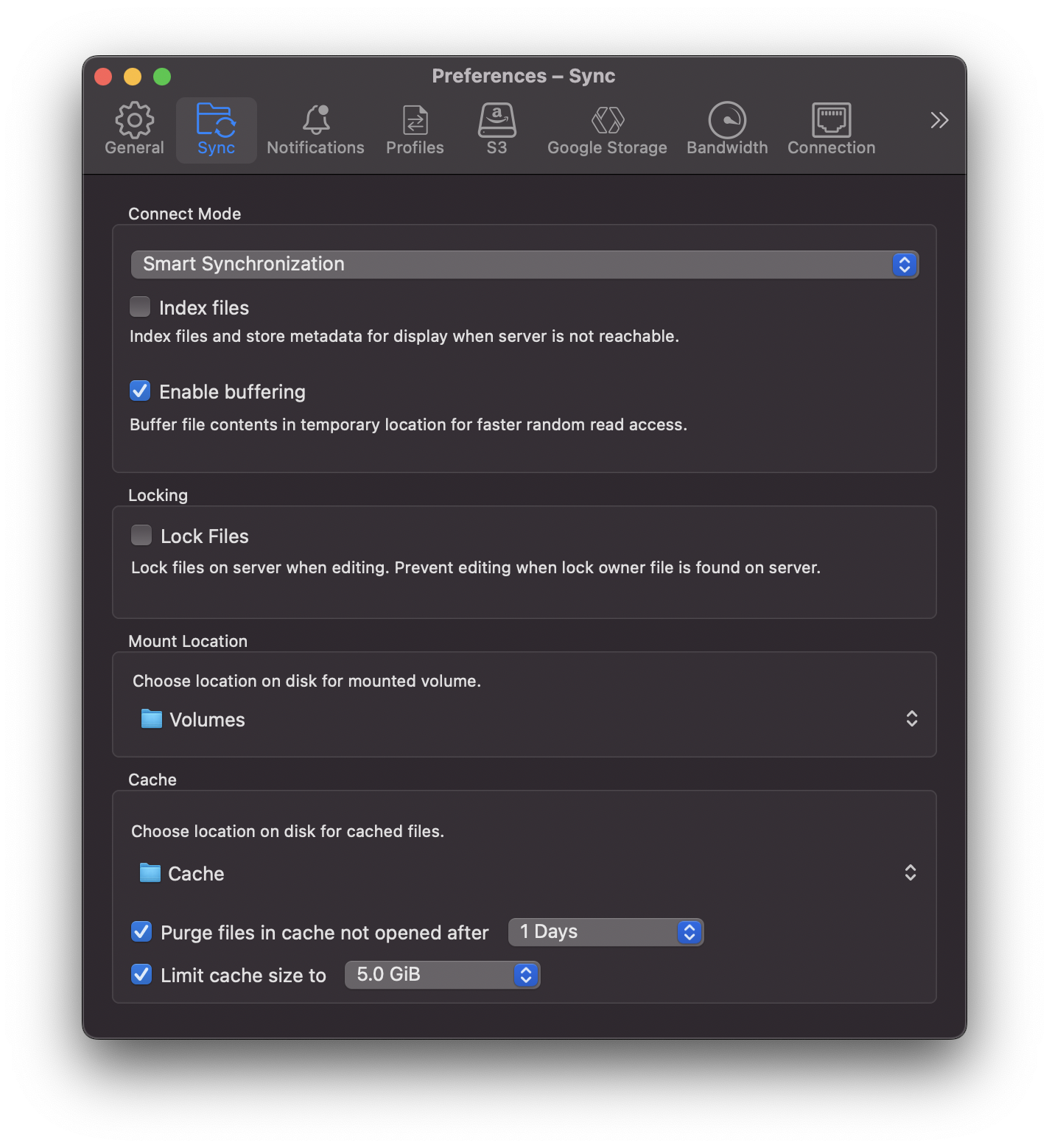
The first option defines the retention time in days after which a file is purged from the cache when it was not accessed during this period. The size option is a soft limit that does apply on a bookmark basis and excludes files marked to be kept offline by the user. In any case, older files are always purged first.
· David Kocher · Posted in Cyberduck, Mountain Duck
Cyberduck 8.4 and Mountain Duck 4.12 revamp support to view and retrieve previous versions. Instead of the context menu, previous versions are now listed into the Versions tab of the Info window.
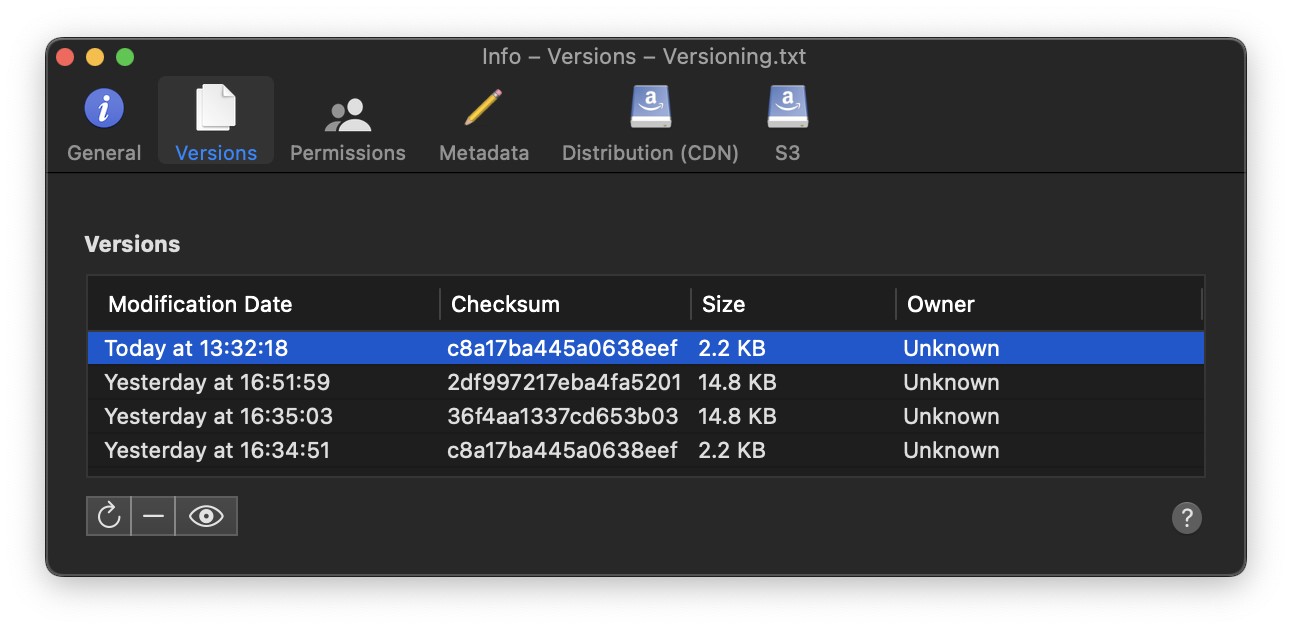
Using the buttons in the lower-left corner, you can perform different actions on the selected version:
The versioning feature is now available for Amazon S3, Backblaze B2, Dropbox, Google Drive, Google Cloud Storage, Microsoft OneDrive, and Microsoft Sharepoint connections. You can find full interoperability information in the documentation available.
· David Kocher · Posted in Mountain Duck
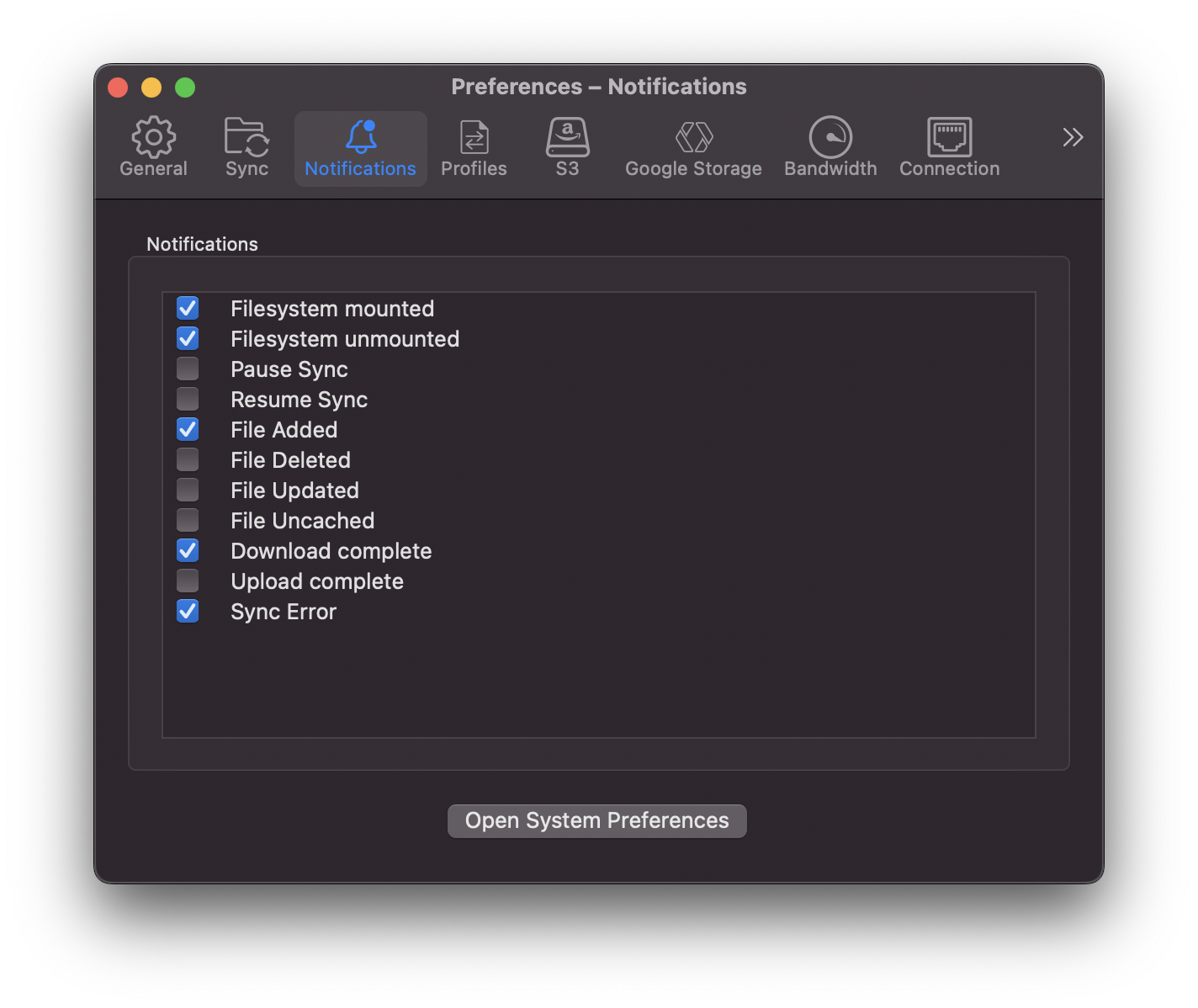
Mountain Duck 4.12 introduces a new Notifications tab in Preferences that allows customizing the notifications to be displayed. In particular it allows fine tuning which notifications to receive when file changes are detected on the server and background synchronization activity.
· David Kocher · Posted in Cyberduck, Mountain Duck

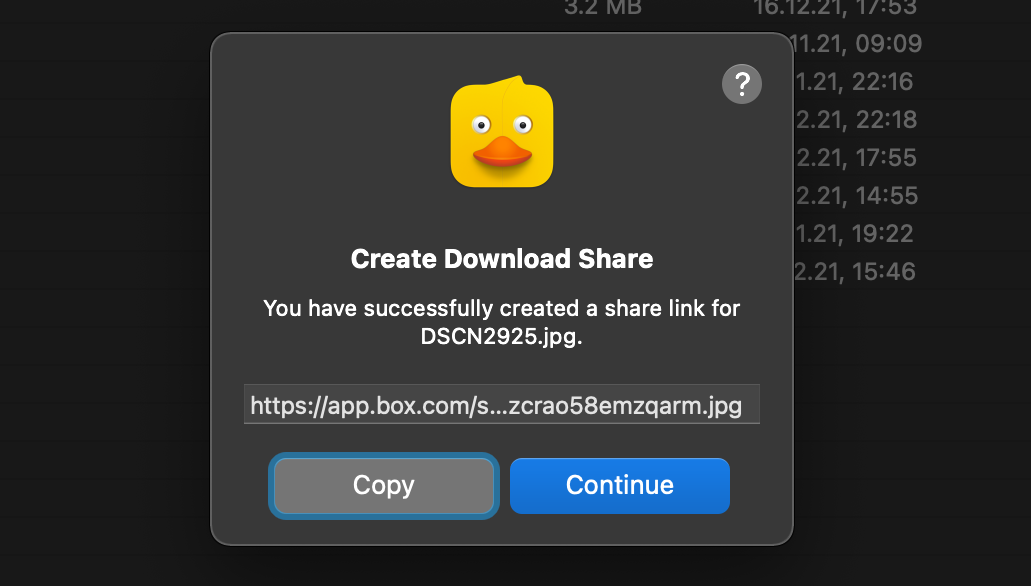
Cyberduck 8.2 and Mountain Duck 4.10.0 introduce support for accessing Box not only through their FTP or WebDAV gateway but using the native Box API. This should not only improve performance but additionally allow enabling two-factor authentication (2FA) for the account. The new implementation allows to create download and upload shares of files or folders for people who are not Box users by using File → Share…in Cybereduck or Create Download Share or Create Upload Share from the Mountain Duck context menu respectively.
Download Mountain Duck as an alternative to Box Drive.
· David Kocher · Posted in Cyberduck, Mountain Duck
The latest versions of Cyberduck and Mountain Duck now run natively on Apple M1 hardware. Thus we are again shipping a universal binary on macOS since dropping support for PPC and Intel 32-bit (i386) in version 4.4 released in October 2013.
This was made possible by the work in Rococoa, JNA and libffi.
 Cyberduck
 Mountain Duck
 CLI
CLI