· David Kocher · Posted in Cyberduck
From time to time, users of Cyberduck interested in graphic design post their custom duck icon sets. Today I just got a new one from Magnus that is looking marvelous.

· David Kocher · Posted in Cyberduck
I forgot to mention that Portable Cyberduck is now available. Packaged as portable application, you can take Cyberduck with all your bookmarks, history, preferences with you on a memory stick. Thanks to Carlo Gandolfi!
· David Kocher · Posted in Cyberduck
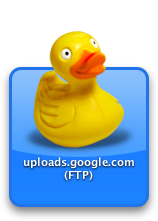
Thanks to Claudio Procida a nifty widget
is now available for Cyberduck.
· David Kocher · Posted in Cyberduck
There is no a dashboard widget thanks to Claudio Procida. Get it here.
The widget offers an easy way to quickly upload items to your favorite FTP or SFTP server using Cyberduck. Open a Cyberduck widget on your Dashboard and flip it to configure it with the details of your server. Either choose a server from your Cyberduck bookmarks dropdown list or type server, username and path by hand.
Then, select a file from the Desktop, a Finder window, your iPhoto library etc. While you’re dragging the file, show Dashboard by hitting the hotkey or dragging the file into your hot corner. Drop the file on the Cyberduck widget and that’s it! Your file will be uploaded.
Update: The Cyberduck Widget made it into the staff favourites in the dashboard download section at apple.com 🙂
· David Kocher · Posted in Cyberduck
Everyone with the crash below please upgrade to 10.3.9.
dyld: /Cyberduck.app/Contents/MacOS/Cyberduck can’t open library: /usr/lib/libgcc_s.1.dylib (No such file or directory, errno = 2)
 Cyberduck
 Mountain Duck
 CLI
